> ## Documentation Index
> Fetch the complete documentation index at: https://docs.wpos.ai/llms.txt
> Use this file to discover all available pages before exploring further.
# Builders and WooCommerce
> WPOS works in the builder the site already uses, and customizes WooCommerce templates safely, with no lock-in.
WPOS does not replace the site's page builder or lock you into one of its own.
It works in whatever the site already runs: Gutenberg, Elementor, or Divi. What
the agent builds shows up as native content in that builder, so a client (or
another developer) can keep editing it the normal way after you hand off.
 ## Builder independence
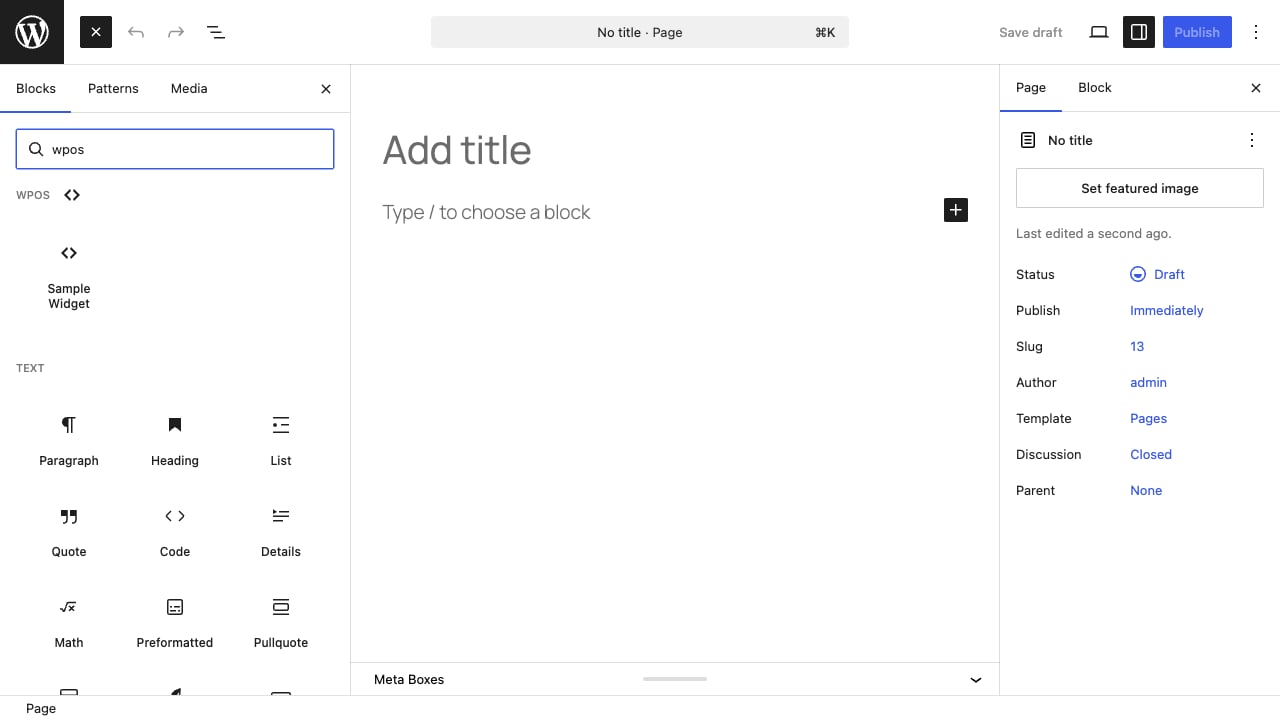
* **Gutenberg.** WPOS widgets register as native blocks. Search the block
inserter and they appear under a **WPOS** category, ready to drop into any
page or template.
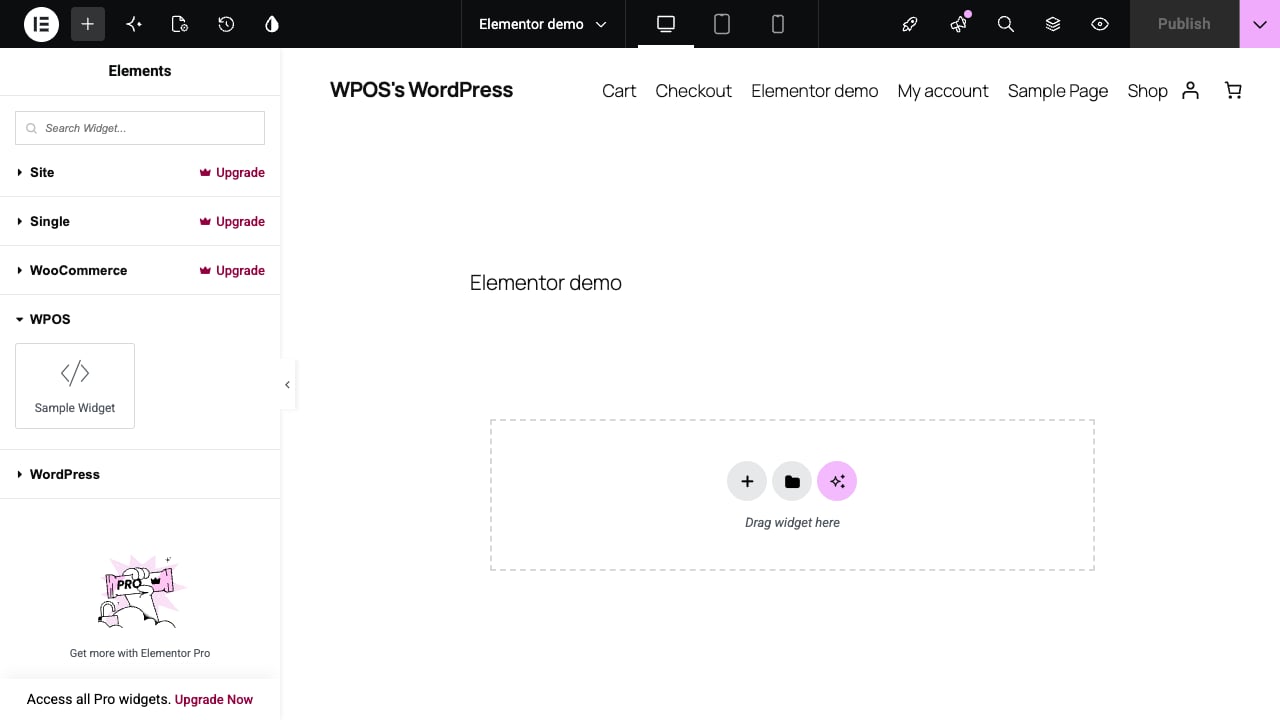
* **Elementor.** The same widgets register as native Elementor widgets, under
their own WPOS category in the widget panel, and render in the Elementor
editor with no compatibility warning.
* **Divi.** Divi is supported through the Builder Bridge, so WPOS widgets work
inside the Divi Builder too.
## Builder independence
* **Gutenberg.** WPOS widgets register as native blocks. Search the block
inserter and they appear under a **WPOS** category, ready to drop into any
page or template.
* **Elementor.** The same widgets register as native Elementor widgets, under
their own WPOS category in the widget panel, and render in the Elementor
editor with no compatibility warning.
* **Divi.** Divi is supported through the Builder Bridge, so WPOS widgets work
inside the Divi Builder too.
 Set which builder the agent targets under [Settings](/operate/settings) with
the **Preferred page builder** option. Because the output is native to the
builder, there is no lock-in: remove WPOS later and the content stays editable.
## The Full Width template
WPOS ships a builder-independent **Full Width** page template that renders a
page with no theme header or footer. It shows up in the WordPress page
attributes template dropdown, so it works even on sites without a builder's own
canvas template.
## WooCommerce
On a WooCommerce store, WPOS can customize the store templates (product pages,
cart, checkout, archives) from [chat](/operate/chat). Two things make this safe
to do on a client's live store:
* **No theme writes.** Template customizations are stored and rendered by WPOS
at runtime, so the agent never edits the theme's files. Switch or update the
theme and your customizations are unaffected.
* **Conflict detection.** If the active theme or another plugin already
overrides a template you are changing, WPOS flags the conflict rather than
silently fighting it.
Because WooCommerce customizations render at runtime instead of editing the
theme, they survive a theme switch or update. That is exactly what you want
when you operate a store you did not build.
Set which builder the agent targets under [Settings](/operate/settings) with
the **Preferred page builder** option. Because the output is native to the
builder, there is no lock-in: remove WPOS later and the content stays editable.
## The Full Width template
WPOS ships a builder-independent **Full Width** page template that renders a
page with no theme header or footer. It shows up in the WordPress page
attributes template dropdown, so it works even on sites without a builder's own
canvas template.
## WooCommerce
On a WooCommerce store, WPOS can customize the store templates (product pages,
cart, checkout, archives) from [chat](/operate/chat). Two things make this safe
to do on a client's live store:
* **No theme writes.** Template customizations are stored and rendered by WPOS
at runtime, so the agent never edits the theme's files. Switch or update the
theme and your customizations are unaffected.
* **Conflict detection.** If the active theme or another plugin already
overrides a template you are changing, WPOS flags the conflict rather than
silently fighting it.
Because WooCommerce customizations render at runtime instead of editing the
theme, they survive a theme switch or update. That is exactly what you want
when you operate a store you did not build.