> ## Documentation Index
> Fetch the complete documentation index at: https://docs.wpos.ai/llms.txt
> Use this file to discover all available pages before exploring further.
# Gutenberg
> Build with core WordPress blocks, keep every section editable in the block editor, and turn any section into a reusable WPOS widget.
export const YouTubeVideo = ({id, title, caption}) => {
const [playing, setPlaying] = useState(false);
return
{playing ? : }
{caption ?
{caption}
: null}
;
};
On a site built with the block editor, WPOS builds with Gutenberg's own core
blocks: cover, columns, quote, and group. Nothing proprietary, so every
section stays editable the normal way when you or your client open the
editor.
## Set the site to Gutenberg
In [Settings](/operate/settings), under **Preferences**, set **Preferred page
builder** to **Gutenberg**. The change takes effect from the next chat
session, and WPOS builds in the block editor from then on.
## What WPOS builds
* **Core blocks.** Pages are made of the block editor's own blocks (cover,
columns, quote, group), not wrappers that only WPOS understands.
* **Editable in the editor.** Open the page in the block editor and every
section is a real block you can change by hand.
* **Styling kept to the page.** When a page needs its own styling, WPOS can
keep it in a snippet scoped to that page, so it cannot leak into the rest of
the site.
```text theme={null}
Build a services page from core blocks: a cover hero,
a grid of six services, two quotes, and a call to action.
```
## Turn a section into a reusable widget
When a section should be reused or edited by someone who does not touch
markup, ask WPOS to make it a widget. For example, a service grid can become a
widget with a repeater, so services are added, reordered, and edited from
fields instead of code.
```text theme={null}
Make the services grid reusable, so I can add
and reorder services without editing markup.
```
WPOS widgets fit into the block editor like any other block:
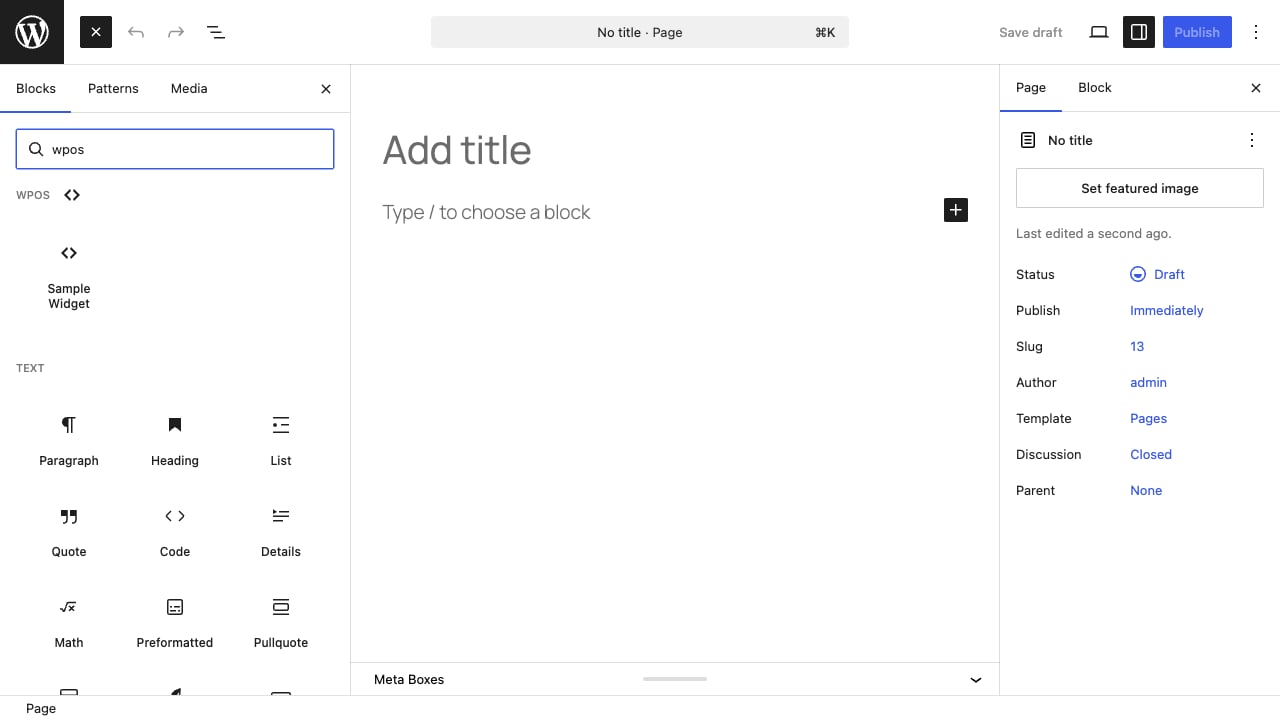
* **Native blocks.** Every WPOS widget is registered as a block. Search the
block inserter and it appears under the **WPOS** category.
* **Block patterns.** Every widget is also available from the editor's
**Patterns** panel.
* **Not tied to one builder.** The same widget also works in Elementor and
Divi. See [Page builders](/operate/builders).
How WPOS works across page builders, with no lock-in.
Build real Divi pages and use WPOS widgets as Divi modules.
 * **Block patterns.** Every widget is also available from the editor's
**Patterns** panel.
* **Not tied to one builder.** The same widget also works in Elementor and
Divi. See [Page builders](/operate/builders).
* **Block patterns.** Every widget is also available from the editor's
**Patterns** panel.
* **Not tied to one builder.** The same widget also works in Elementor and
Divi. See [Page builders](/operate/builders).