> ## Documentation Index
> Fetch the complete documentation index at: https://docs.wpos.ai/llms.txt
> Use this file to discover all available pages before exploring further.
# Settings
> Per-site WPOS preferences: default mode, auto plan, context, preferred page builder, and your account.
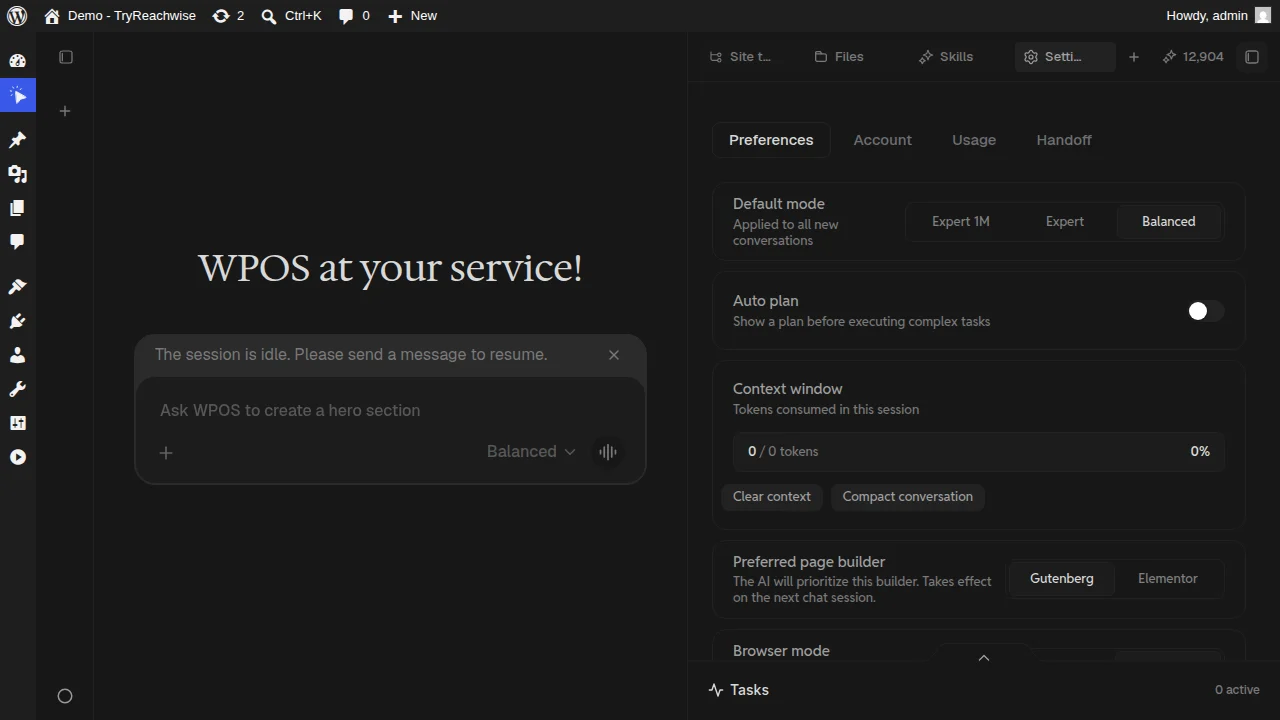
Settings is where you tune how WPOS behaves on a site and manage your account. It
opens as a surface in the [Command Center](/operate/command-center) with tabs for
**Preferences**, **Account**, **Usage**, and **Handoff**.
 ## Preferences
* **Default mode.** The mode applied to new conversations: **Balanced**,
**Expert**, or **Expert 1M**. See [Chat and modes](/operate/chat) for what each
one is for.
* **Auto plan.** When on, WPOS shows a plan before executing complex tasks, so you
can review the intended steps before it touches the site.
* **Context window.** Shows the tokens consumed in the current session, with
options to **Clear context** or **Compact conversation** when a long chat gets
heavy.
* **Preferred page builder.** Tell the agent whether to prioritize **Gutenberg**
or **Elementor**. Takes effect on the next chat session.
## Account, Usage, and Handoff
Your account details for this site.
How credits are being used. See [Billing](/agencies/billing) for how credits,
plans, and site licenses fit together.
Hand a site or its access off, for client or team workflows.
Set the **Preferred page builder** to match how the site is actually built. It
keeps the agent producing markup that fits the site instead of mixing builders.
## Preferences
* **Default mode.** The mode applied to new conversations: **Balanced**,
**Expert**, or **Expert 1M**. See [Chat and modes](/operate/chat) for what each
one is for.
* **Auto plan.** When on, WPOS shows a plan before executing complex tasks, so you
can review the intended steps before it touches the site.
* **Context window.** Shows the tokens consumed in the current session, with
options to **Clear context** or **Compact conversation** when a long chat gets
heavy.
* **Preferred page builder.** Tell the agent whether to prioritize **Gutenberg**
or **Elementor**. Takes effect on the next chat session.
## Account, Usage, and Handoff
Your account details for this site.
How credits are being used. See [Billing](/agencies/billing) for how credits,
plans, and site licenses fit together.
Hand a site or its access off, for client or team workflows.
Set the **Preferred page builder** to match how the site is actually built. It
keeps the agent producing markup that fits the site instead of mixing builders.