> ## Documentation Index
> Fetch the complete documentation index at: https://docs.wpos.ai/llms.txt
> Use this file to discover all available pages before exploring further.
# Get help
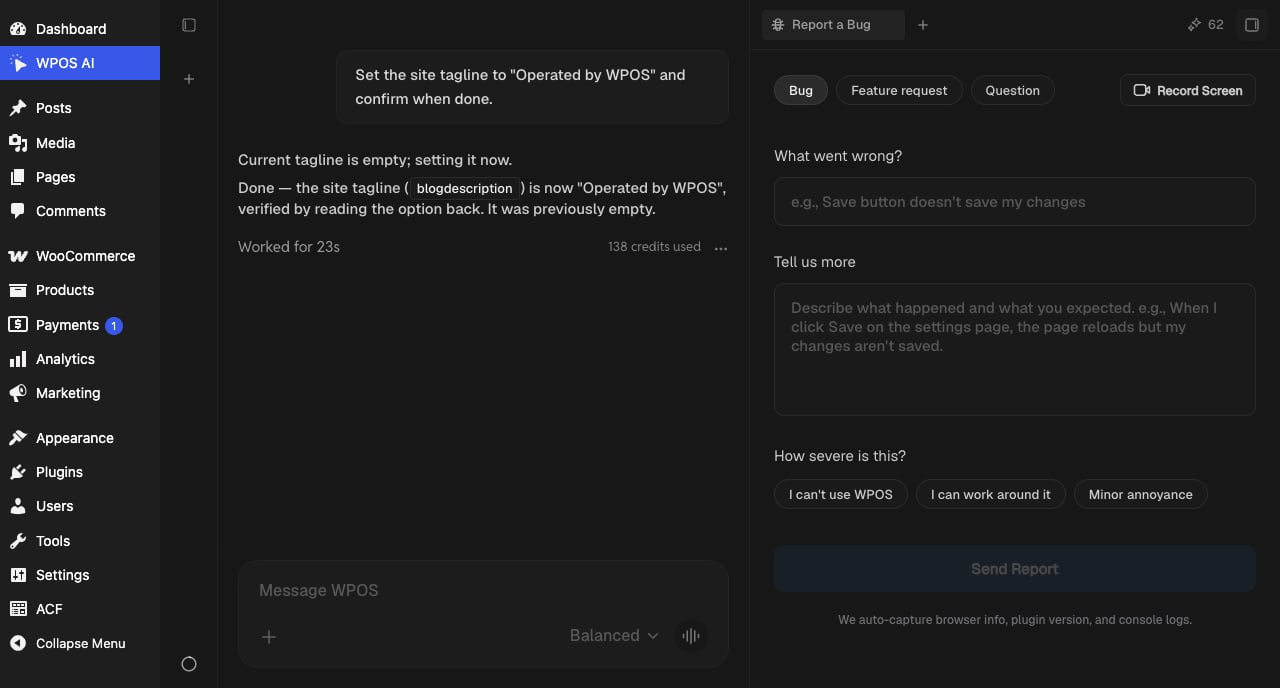
> Report a bug, request a feature, or ask a question from inside the Command Center, with a built-in screen recorder.
Something broken, missing, or unclear? Report it without leaving the
[Command Center](/operate/command-center): open a new tab in the right panel
and choose **Report a bug**. For answers to the most common issues first, see
the [FAQ](/resources/faq).
 ## Filing a report
1. Pick the type: **Bug**, **Feature request**, or **Question**.
2. Say what went wrong and what you expected. Specific beats long: the page
you were on, the action you took, what happened instead.
3. Set the severity in plain terms: **I can't use WPOS**, **I can work
around it**, or **Minor annoyance**. This is how the team triages.
4. Optionally hit **Record Screen** and reproduce the problem. The recording
attaches exactly what you saw to the ticket, which usually saves a round
of back and forth.
5. Send it. Browser info, plugin version, and console logs are captured
automatically, so you do not need to collect any of that yourself.
## What happens next
Your report becomes a support ticket with the WPOS team. Replies land back
in the product, in the conversation the ticket belongs to, so you do not
need to watch an email thread. If a resolved ticket turns out not to be
fixed, replying to it reopens it.
For anything involving a failed or overcharged run, report it with that
conversation open. The ticket then carries the run context the team needs
to review it.
## Filing a report
1. Pick the type: **Bug**, **Feature request**, or **Question**.
2. Say what went wrong and what you expected. Specific beats long: the page
you were on, the action you took, what happened instead.
3. Set the severity in plain terms: **I can't use WPOS**, **I can work
around it**, or **Minor annoyance**. This is how the team triages.
4. Optionally hit **Record Screen** and reproduce the problem. The recording
attaches exactly what you saw to the ticket, which usually saves a round
of back and forth.
5. Send it. Browser info, plugin version, and console logs are captured
automatically, so you do not need to collect any of that yourself.
## What happens next
Your report becomes a support ticket with the WPOS team. Replies land back
in the product, in the conversation the ticket belongs to, so you do not
need to watch an email thread. If a resolved ticket turns out not to be
fixed, replying to it reopens it.
For anything involving a failed or overcharged run, report it with that
conversation open. The ticket then carries the run context the team needs
to review it.