

Set the site to Elementor
In Settings, under Preferences, set Preferred page builder to Elementor. The change takes effect from the next chat session, and WPOS builds in Elementor from then on.What WPOS builds
- Real Elementor pages. Every section is an Elementor container you can edit in the Elementor editor afterwards.
- WPOS widgets in the widget panel. Every WPOS widget is registered as a native Elementor widget, under its own WPOS category, and renders in the editor with no compatibility warning.
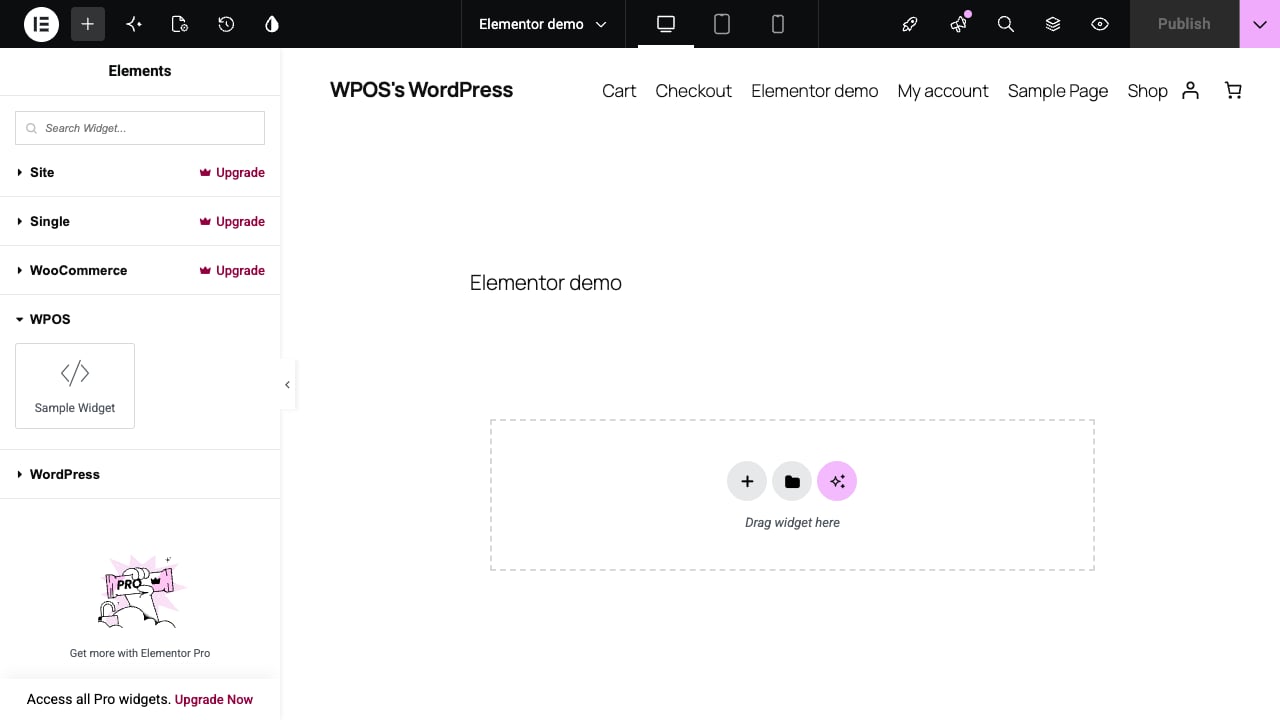
WPOS widgets appear under a WPOS category in the Elementor widget panel.
- A safety copy before each rewrite. Elementor does not keep a WordPress revision when a page’s layout is saved this way, so WPOS keeps copies of a page’s recent layouts before it rewrites them. An edit that goes wrong can be rolled back.
From a reference site to a finished page
In the video, WPOS rebuilds the look of an inspiration site from one link and a two-word constraint, “no gradients”:- It studies the reference and describes what it sees before building.
- It copies the photos into the media library instead of linking to the original site.
- It sets up the theme’s colors as variables, so recoloring the whole site is one edit.
- It adds scroll animations on request, finds and fixes a bug in its own animation code, and checks every animated element on the page before reporting done.
Page builders
How WPOS works across page builders, with no lock-in.
Elementor Ultra
Open-source tooling for building Elementor sites as code.