

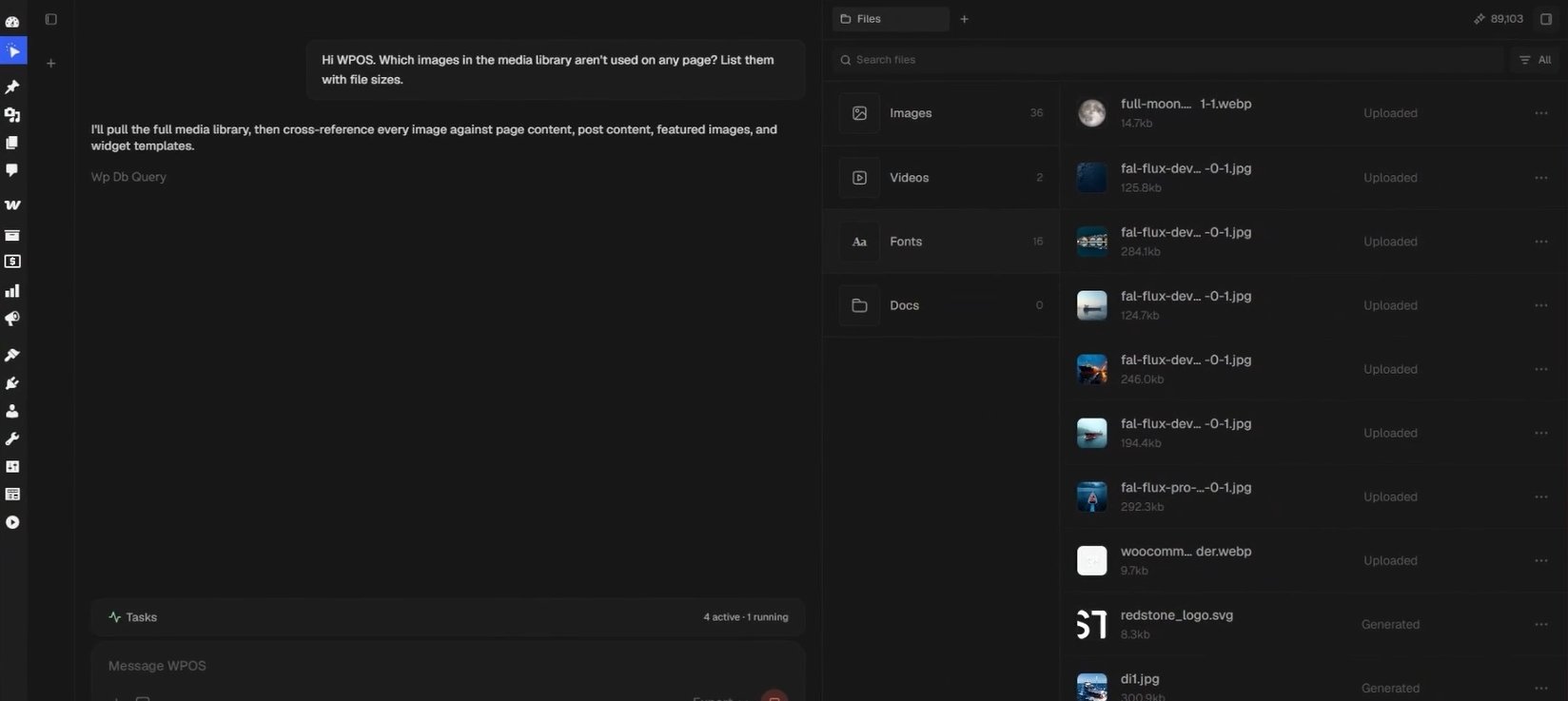
The Files surface: images, videos, fonts, and documents grouped by type, with search, file sizes, and where each file came from.
What you see
Files are grouped by type, each group with a count of what is in it.Images
Every image on the site, ready to drop into a page.
Audio
Audio files the site uses.
Videos
Video assets the site uses.
Fonts
Font files uploaded to the site. Elementor lists them in its font picker,
even without Elementor Pro.
Docs
PDFs and other documents, including things you want the agent to reference.
Code
Code WPOS has written for the site. The only group that is not an upload.
Working with files
- Search the library to find an asset fast.
- See where a file came from. Each file is marked Uploaded (added by you, from the media library or the workspace) or Generated (produced by WPOS in chat). Use the filter beside the search box to show All, only Uploaded, or only Generated files.
- Reference assets in chat. Ask the agent to use a specific file by name, for example “use the hero image from Files on the homepage.”
- Bring assets in from a connector. Pull files from a tool like Google Drive through Connectors, then use them in a build.