

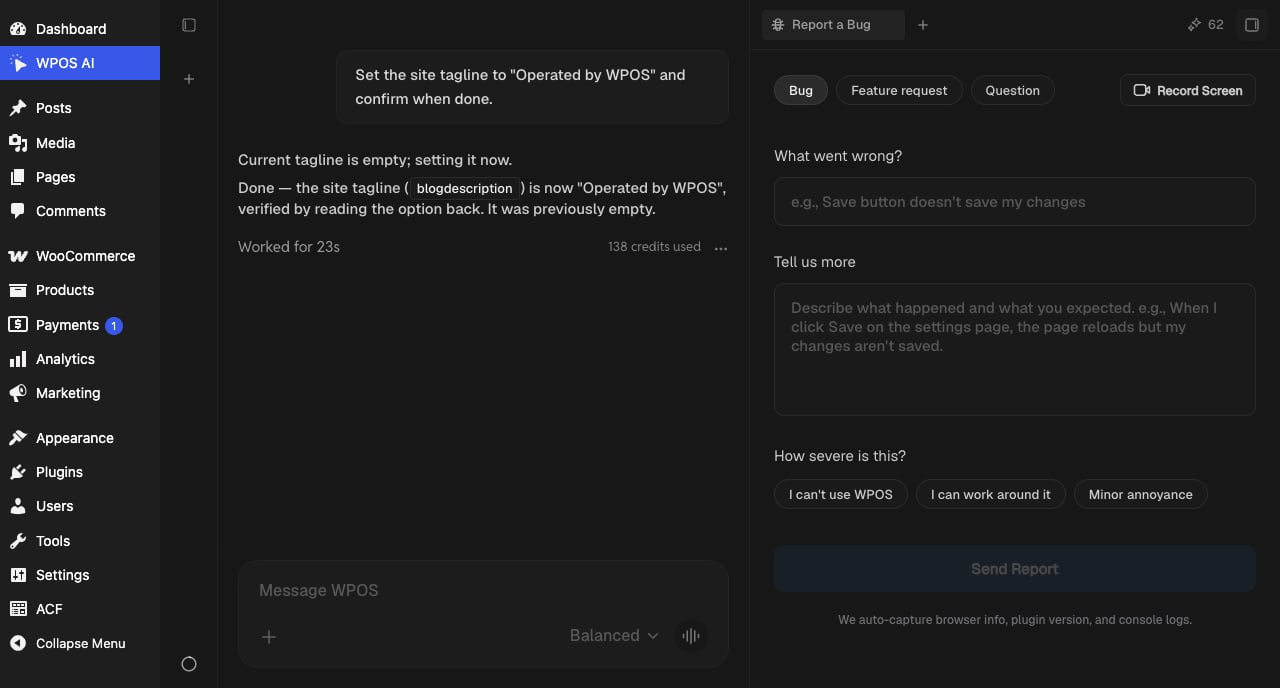
Report a bug from the Command Center: type, description, severity, and a built-in screen recorder.
Filing a report
- Pick the type: Bug, Feature request, or Question.
- Say what went wrong and what you expected. Specific beats long: the page you were on, the action you took, what happened instead.
- Set the severity in plain terms: I can’t use WPOS, I can work around it, or Minor annoyance. This is how the team triages.
- Optionally hit Record Screen and reproduce the problem. The recording attaches exactly what you saw to the ticket, which usually saves a round of back and forth.
- Send it. Browser info, plugin version, and console logs are captured automatically, so you do not need to collect any of that yourself.