

Set the site to Gutenberg
In Settings, under Preferences, set Preferred page builder to Gutenberg. The change takes effect from the next chat session, and WPOS builds in the block editor from then on.What WPOS builds
- Core blocks. Pages are made of the block editor’s own blocks (cover, columns, quote, group), not wrappers that only WPOS understands.
- Editable in the editor. Open the page in the block editor and every section is a real block you can change by hand.
- Styling kept to the page. When a page needs its own styling, WPOS can keep it in a snippet scoped to that page, so it cannot leak into the rest of the site.
Turn a section into a reusable widget
When a section should be reused or edited by someone who does not touch markup, ask WPOS to make it a widget. For example, a service grid can become a widget with a repeater, so services are added, reordered, and edited from fields instead of code.-
Native blocks. Every WPOS widget is registered as a block. Search the
block inserter and it appears under the WPOS category.
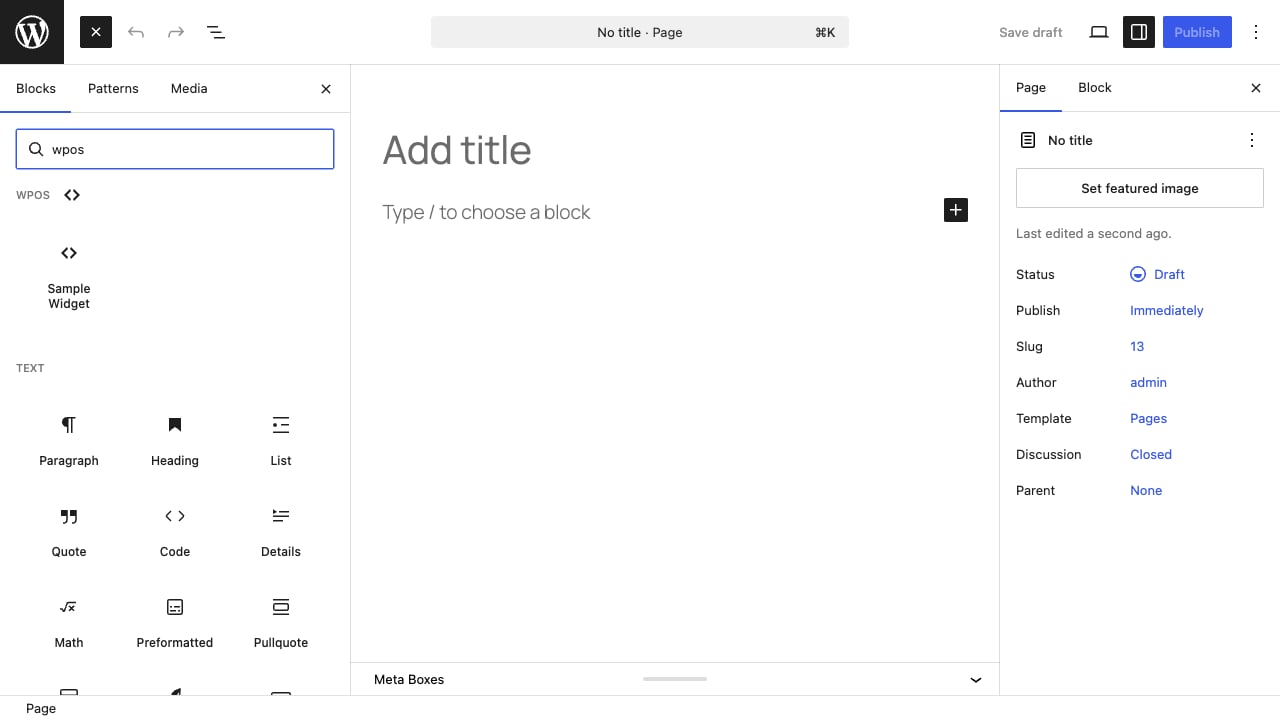
A WPOS widget in the Gutenberg block inserter, under its own WPOS category.
- Block patterns. Every widget is also available from the editor’s Patterns panel.
- Not tied to one builder. The same widget also works in Elementor and Divi. See Page builders.
Page builders
How WPOS works across page builders, with no lock-in.
Divi
Build real Divi pages and use WPOS widgets as Divi modules.