

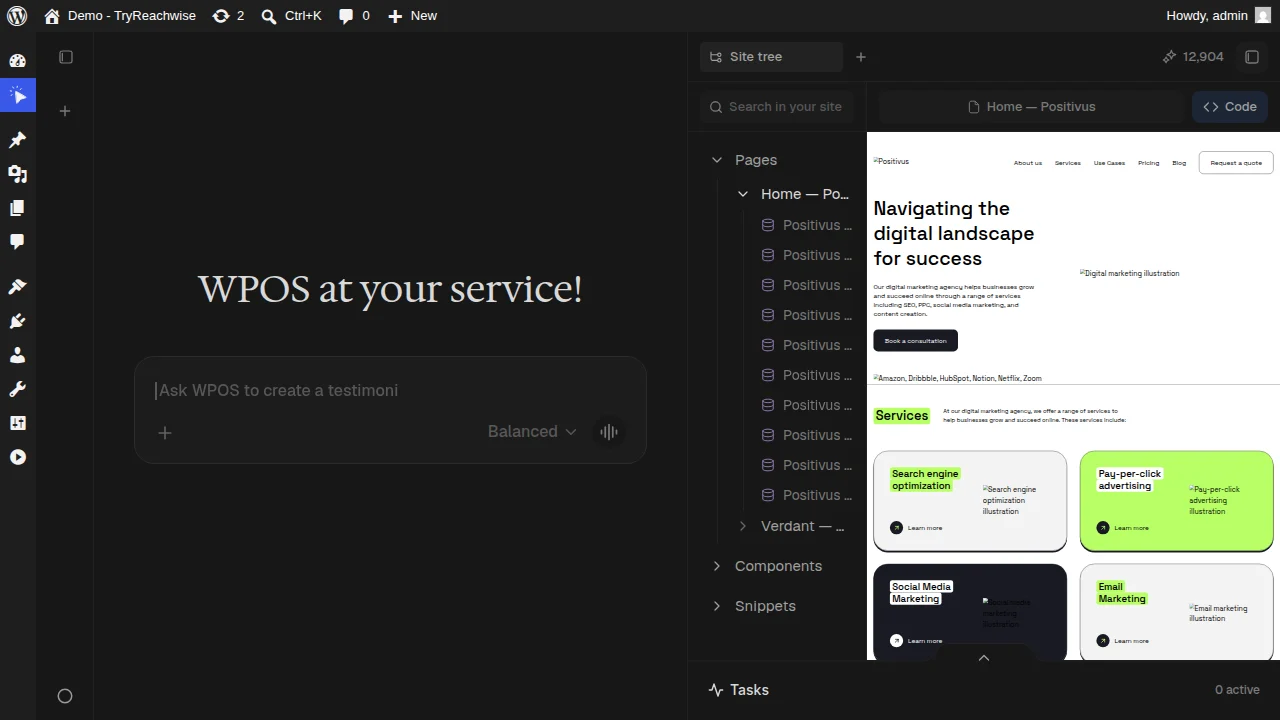
The Site tree open beside the live preview: pages, components, and snippets on the left, the rendered page on the right.
What you see
Pages
Every page on the site. Expand one to see its sections and the components
inside it.
Components
The reusable building blocks used across the site, in one place.
Snippets
Saved pieces you can reuse anywhere, kept with the site.
Working in the tree
- Search the site. Use the search box to find any page, section, or component quickly.
- Preview anything. Select a page and it loads in the live preview beside the tree, so you see exactly what you are working on.
- Switch to Code. Toggle the Code view to see the underlying markup for what is selected.
- Point and ask. Once a page is in the preview, click an element and ask for a change, the same click-then-ask loop as everywhere else.